

Dedicated IP VPN for simpler SSH and panel access.
Plan one outbound IPv4 across home, office and mobile connections. Add your account-specific address to server and panel allowlists and get Turkish WireGuard setup help.
- 3 separate device profiles
- 300 GB monthly traffic
- Turkish setup support

What will you use your VPN for?
Choose your use case to see the key difference between the two plans.
Compare prices directly below or choose a plan here based on your intended use.
VPN plans and pricing
Choose shared VPN for everyday access or Dedicated IP VPN for work resources that need an account-specific IP. Both plans propose three profiles and a shared 300 GB monthly account pool.
TeknoWeb VPN
Shared exit for everyday use
Proposed monthly price
TRY 199.00/ month
Connect using your own WireGuard keys while sharing the outbound IPv4 with other service users.
- Shared outbound IPv4
- 3 separate device profiles
- 300 GB monthly account pool
- Helsinki data-centre exit
- Turkish setup and connection support
Preparing for launch · Your selected plan is carried into the contact form.
TeknoWeb Dedicated IP VPN
For work resources with IP allowlists
Proposed monthly price
TRY 599.00/ month
Use an outbound IPv4 assigned exclusively to your account for consistent access to panels, SSH and work resources.
- Exclusive fixed outbound IPv4
- 3 separate device profiles
- 300 GB monthly account pool
- Helsinki data-centre exit
- Turkish setup and connection support
Preparing for launch · Your selected plan is carried into the contact form.
Prices for pending plans are proposed VAT-inclusive amounts, not currently purchasable offers. Taxes, billing period and the final total will be shown when ordering opens.
Know exactly what your VPN includes.
An exit IP that fits your needs
Choose a shared exit for everyday use or an exclusive IPv4 for work resources with IP allowlists. Understand the difference before purchasing.
A separate profile for each device
Three connection profiles are planned for supported phones, computers and other devices. Separate keys make device replacement and access revocation easier.
Choose with a clear scope
The proposed 300 GB monthly pool is shared across account profiles. Helsinki location, device count and setup support are stated alongside each plan.
See the path your connection takes.
Switch between shared and dedicated IP examples. Explore the relationship between devices, the encrypted tunnel and internet exit without a live connection.
In this example, the outbound internet IPv4 is assigned to one customer account only.
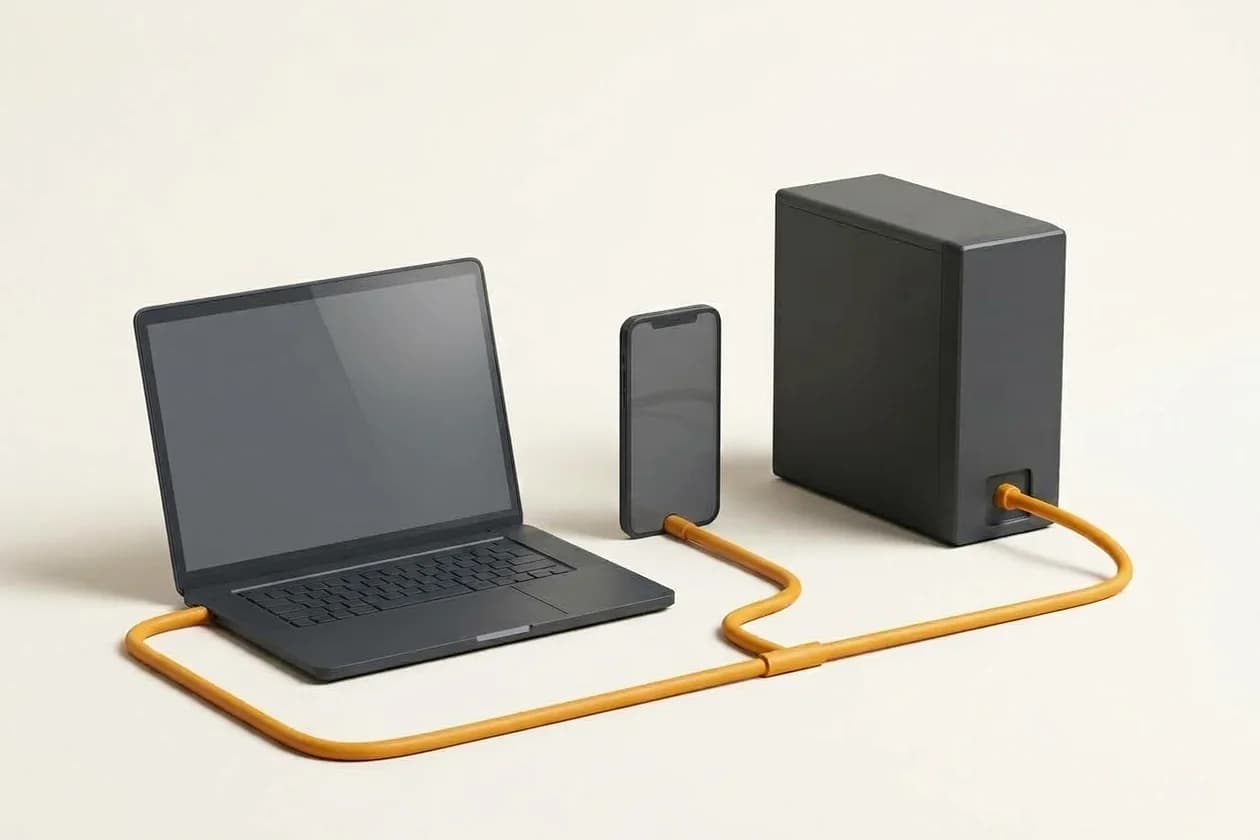
One exit IP. Clearly defined work access.
Plan an account-specific exit address for SSH, administrative panels and cloud resources. Destination allowlists and user authentication require separate configuration; team management and private LAN access are not included in the standard plan.
Dedicated IP VPNWhat problem does a dedicated IP VPN solve?
A consistent exit for IP allowlists
Some work applications accept connections only from specified IPs. Updating those rules whenever your local connection changes takes time. A dedicated exit lets you allowlist an address specific to your account. Traffic must actually pass through the active tunnel. Configure the destination’s rules separately and combine the allowlist with strong account authentication.
Using SSH and cloud resources
Developers and agencies can evaluate a fixed exit for SSH, database firewalls and cloud administration. The target’s network rules remain decisive. An IP is not a password: authentication and user permissions still apply. Whether all traffic or only selected destinations use the tunnel depends on the profile’s routing. Match that configuration to the actual work requirement.
Dedicated IP is not a dedicated server
The exclusive resource in this plan is the outbound IPv4. CPU, memory and physical networking are not dedicated to you. The address is a Helsinki data-centre IP, not Turkish or residential. A shared static IP is different: it can stay fixed while many customers use it. Assignment, cancellation and reassignment conditions must be defined for the service period.
Personal work access and company networks are different
Three profiles are intended for one account’s supported devices. Separate employee identities, device policies, office LAN access and branch connectivity are not automatically included. Corporate access requires its own user revocation, permission and lost-device design. We can evaluate users, resources and access policies separately rather than presenting a personal plan as a complete business network.
Shared IP or your own dedicated IP?
Both plans provide a VPN connection. A dedicated IP does not mean the server’s CPU and memory are dedicated to you.
| Service feature | Shared VPN | Dedicated IP VPN |
|---|---|---|
| Outbound IPv4 | Shared with other customers | Assigned exclusively to your account |
| IP allowlisting | Does not distinguish your account | An account-specific exit address |
| Device profiles | 3 separate keys | 3 separate keys |
| Monthly traffic | 300 GB across the account | 300 GB across the account |
| Location and protocol | Helsinki · WireGuard | Helsinki · WireGuard |
| Dedicated physical server | Not included | Not included |
Before choosing your plan
300 GB combines uploads and downloads across all profiles; it is not a separate allowance per device. Three profiles are not a three-person team licence. Speed depends on your connection, route and concurrent usage. An IP allowlist does not replace authentication or a firewall.
App, profile, connection: three steps.
- 1
Install the app
Install the official WireGuard client for your operating system. Verify the source and publisher.
- 2
Add a device profile
After activation, import the device-specific file or scan a QR code in a supported mobile client. Keep your keys private.
- 3
Verify the connection
Activate the tunnel and check the exit IP, DNS behaviour and intended resource. Test disconnect and IPv6 behaviour on your device.
Frequently asked VPN questions
Will the IP be exclusive to my account?
The proposed dedicated scope assigns the exit IPv4 exclusively to your account during active service. You do not acquire ownership of the address or dedicated hardware.
Will it guarantee access to banks or other services?
No. Destinations can restrict overseas or data-centre IPs. Their policies must be checked; third-party access is not guaranteed.
Is allowlisting the VPN IP enough for SSH?
No. Network permission is only one layer. SSH keys, user permissions and other authentication still apply.
Is port forwarding included?
An exclusive outbound IPv4 does not imply inbound connections or port forwarding. Those features are not included in the initial proposed scope.
Can my whole team share the account?
The standard plan is not a team licence. Separate employee accounts and corporate permissions require a separately scoped solution.
Find the right connection for your needs
Choose your plan. Let’s clarify your needs.
Select a suitable plan and reach us through the contact form. Your selection is added to the message so we can discuss scope and setup needs.